
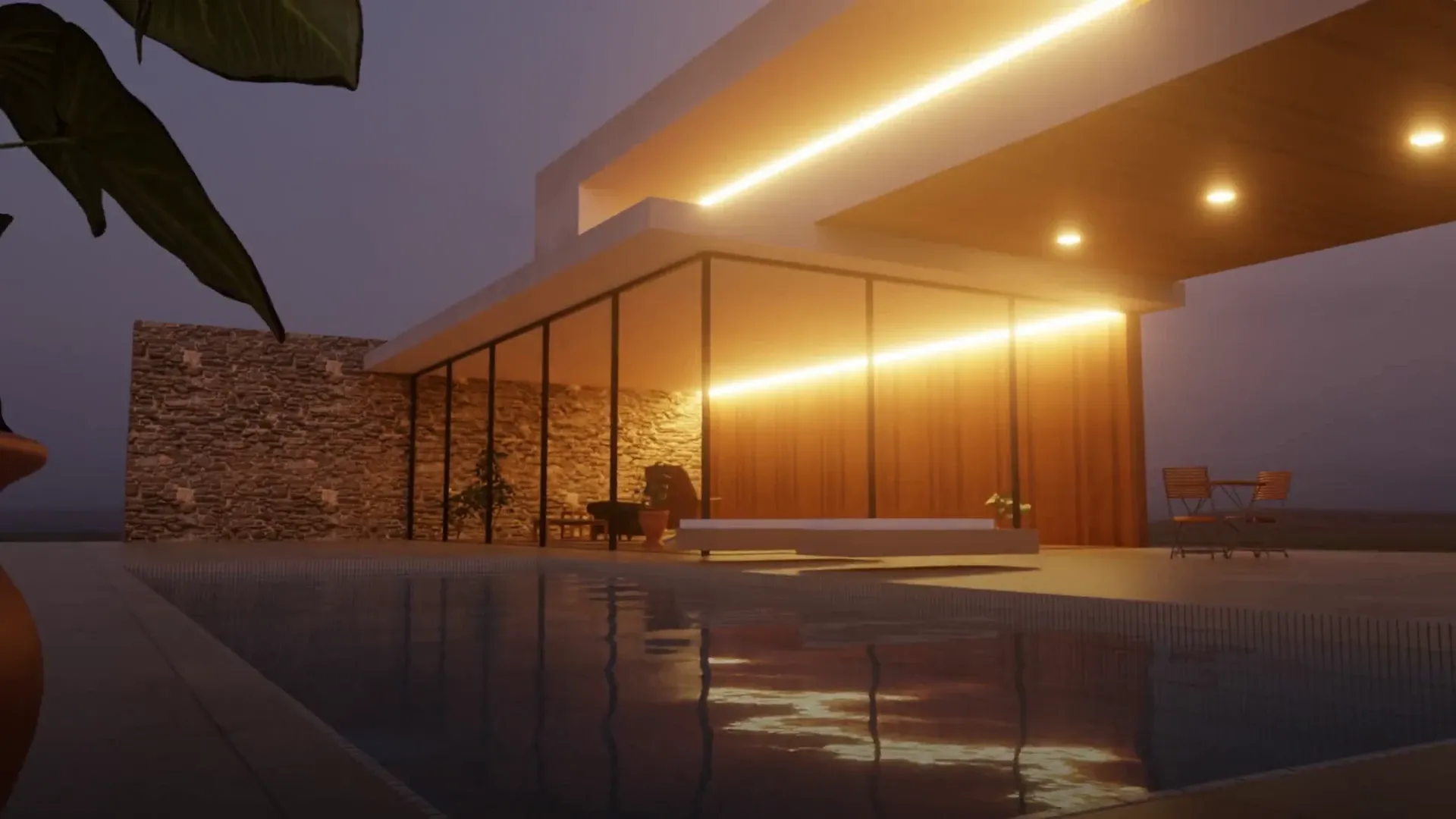
SketchUp has no physically based renderer built in, so most SketchUp users pick one of a handful of render plugins or standalone apps. This page compares Rayscaper with the best-known alternatives: V-Ray, Enscape, Twinmotion, D5 Render, Lumion, Thea Render and SU Podium. We make Rayscaper, so we're not neutral, but we've tried to be fair: every product here is good at something, and for some projects another tool is the better choice.
Quick comparison
| Renderer | Price | Runs | Platforms | Hardware |
|---|---|---|---|---|
| Rayscaper | $99 once, free version with watermark | Inside SketchUp | Windows | Any 4-core CPU, NVIDIA GPU optional |
| V-Ray | From about $540 per year | Inside SketchUp | Windows, macOS | CPU, NVIDIA GPU or Apple GPU |
| Enscape | From about $575 per year | Inside SketchUp | Windows, macOS (Apple Silicon) | Dedicated GPU recommended |
| Twinmotion | Free under $1M revenue, else $445 per year | Separate app, Direct Link | Windows, macOS | GPU required, RTX or RX 6000 for path tracing |
| D5 Render | Free non-commercial, Pro $360 per year | Separate app, LiveSync | Windows | Ray tracing GPU required |
| Lumion | $1,149 per year | Separate app, LiveSync | Windows | Powerful GPU required |
| Thea Render | $280 per year | Inside SketchUp | Windows, macOS | CPU, GPU optional |
| SU Podium | $249 once | Inside SketchUp | Windows, macOS | CPU |
Prices and system requirements were checked in October 2026 on the vendors' websites and recent pricing guides. They are in US dollars and may differ in your region. Check the vendor's website before you buy.
What makes Rayscaper different
- One-time price. A license costs $99 once, with a year of updates included, and keeps working after that. Most alternatives are subscriptions that cost several times as much every year. The free version has every feature, with a watermark on the renders.
- No special graphics card needed. Rayscaper renders on the CPU by default, so it runs on laptops and office PCs without a gaming GPU. With an NVIDIA GPU you can turn on GPU rendering for more speed. Real-time renderers like Enscape, Twinmotion, D5 Render and Lumion need a capable GPU to run at all.
- Interactive and photorealistic at once. Rayscaper is a path tracer, which simulates how light really bounces, and it updates the render the moment you change the model, a material or the camera. What you see while you work is the final render: there's no separate preview mode. An AI denoiser removes the noise.
- Inside SketchUp. Rayscaper syncs the model, the camera, SketchUp's materials, tags, the sun and Skatter objects live. There's no export step and no second application to learn.
- Simple settings. Materials are presets like Glass, Metal, Water and PBR with a few settings each, and over 1,000 materials and HDRIs from Poly Haven are included.
Rayscaper also has limits you should know about: it runs on Windows only for now (macOS is on the roadmap), it has no VR or walkthrough mode, and its asset library is smaller than those of the big commercial tools.
Rayscaper vs V-Ray
V-Ray by Chaos is the industry standard for architectural visualization and runs inside SketchUp, like Rayscaper. It renders on the CPU, on NVIDIA GPUs and on Apple GPUs, and comes with the Chaos Cosmos library of thousands of models and materials. Its huge number of settings gives experts control over every detail of a render.
V-Ray is a subscription: about $540 per year for Solo, more for Premium and the Collection, with a 30-day trial.
Choose V-Ray if you need macOS, a large model library, render farms, or fine control for high-end production work.
Choose Rayscaper if you want photorealistic renders with far fewer settings to learn, and a one-time price of $99 instead of a yearly subscription.
Rayscaper vs Enscape
Enscape, also by Chaos, is a real-time renderer that runs in its own window next to SketchUp. It's very fast, which makes it popular for walkthroughs, VR and client presentations. Its images are rendered like a video game, with optional hardware ray tracing, so they look less physically accurate than a path tracer's.
Enscape is a subscription from about $575 per year, with a 14-day trial. It needs a dedicated graphics card for good performance, and runs on Windows and Apple Silicon Macs.
Choose Enscape for real-time walkthroughs, VR and video.
Choose Rayscaper for physically accurate light and reflections, if your computer has no strong GPU, or if you'd rather not pay a subscription.
Rayscaper vs Twinmotion
Twinmotion by Epic Games is a standalone real-time visualization app built on Unreal Engine. You send your model from SketchUp with the Datasmith Direct Link plugin and dress the scene in Twinmotion, with animated people, vegetation, weather and seasons. It has an optional path tracer for higher-quality stills, on Windows only.
Twinmotion is free for individuals and companies with less than $1 million in yearly revenue. Larger companies pay $445 per seat per year. It needs a capable GPU, and its path tracer needs an NVIDIA RTX or AMD RX 6000 card with 8 GB of video memory.
Choose Twinmotion for animations, landscapes and lively scenes with lots of entourage.
Choose Rayscaper to render without leaving SketchUp, without a separate app and scene to keep in sync, and on computers without a gaming GPU.
Rayscaper vs D5 Render
D5 Render is a real-time ray-traced renderer that runs as a separate app, linked to SketchUp with the LiveSync plugin. It's known for speed, a large asset library, animation and AI tools. Its free D5 Lite plugin renders inside SketchUp but needs an NVIDIA RTX graphics card.
D5's free Community version can only be used for non-commercial work. D5 Pro costs $30 per month billed yearly ($360 per year). D5 Render runs on Windows only, and always needs a ray-tracing capable GPU: it has no CPU mode.
Choose D5 Render for fast animations and a big library of models and effects, if you have a modern GPU.
Choose Rayscaper if you want to own your license instead of renting it, need to render on the CPU, or prefer to stay inside SketchUp.
Rayscaper vs Lumion
Lumion is a standalone real-time renderer, linked to SketchUp with its LiveSync plugin. It shines at exteriors, landscaping and animation, with a library of over 10,000 assets.
Lumion is one of the most expensive options: Lumion Pro costs $1,149 per year. It runs on Windows only and needs a powerful graphics card. Lumion View, its renderer inside SketchUp, has been discontinued.
Choose Lumion for large exterior scenes, landscapes and video, if the budget allows.
Choose Rayscaper for photorealistic stills and interiors at a fraction of the price, on modest hardware.
Rayscaper vs Thea Render
Thea Render, now owned by Altair, is a physically based renderer that runs inside SketchUp, like Rayscaper. It's known for accurate, unbiased rendering, and has both a CPU engine and a GPU engine that works on NVIDIA, AMD, Intel and Apple GPUs.
Thea for SketchUp costs $280 per year, or $675 for three years, and runs on Windows and macOS.
Choose Thea Render if you need macOS, AMD or Apple GPU rendering, or its spectral rendering engine.
Choose Rayscaper for a simpler interface, a live render that updates as you model, and a one-time price.
Rayscaper vs SU Podium
SU Podium is one of the oldest SketchUp renderers. It runs inside SketchUp on Windows and macOS, renders on the CPU, and comes with the Podium Browser library of over 45,000 components and materials. It's sold as a perpetual license for $249.
SU Podium renders an image after you click render, while Rayscaper updates the render continuously as you work. Real-time previews in Podium need the separate PodiumxRT add-on.
Choose SU Podium if you need macOS or its component library.
Choose Rayscaper for an interactive, modern path tracer at a lower price.
Which renderer should you choose?
- For photorealistic stills inside SketchUp on a budget: Rayscaper.
- For real-time walkthroughs and VR: Enscape.
- For animations and big exterior scenes: Twinmotion, D5 Render or Lumion.
- For high-end production and render farms: V-Ray.
- On a Mac: V-Ray, Enscape, Twinmotion, Thea or SU Podium, until Rayscaper's macOS version is available.
Try Rayscaper on your own model
The best way to find out whether Rayscaper suits you is to try it. The free version has every feature, and a license is a one-time $99.
Frequently asked questions
Is there a free renderer for SketchUp?
Yes. Rayscaper's free version has every feature but adds a watermark and can't be used commercially. Twinmotion is free for companies under $1 million in yearly revenue, and D5 Render's Community version is free for non-commercial use.
Which SketchUp renderer doesn't need a subscription?
Rayscaper ($99) and SU Podium ($249) are sold as perpetual licenses. V-Ray, Enscape, D5 Render, Lumion and Thea Render are subscriptions.
Can I render SketchUp models without a graphics card?
Yes, with a CPU renderer. Rayscaper renders on the CPU by default; a GPU only makes it faster. V-Ray, Thea Render and SU Podium can also render on the CPU. Enscape, Twinmotion, D5 Render and Lumion need a graphics card.
What's the difference between a path tracer and a real-time renderer?
A path tracer like Rayscaper or V-Ray simulates how light bounces through a scene, which gives physically accurate lighting, shadows and reflections. A real-time renderer like Enscape or Lumion uses game engine techniques to draw images many times per second, which is ideal for walkthroughs but approximates the light. Rayscaper is interactive: it keeps refining the path-traced image while you work, so you get accurate light without waiting for a final render.